Perception & Interfaces
Course materials for UCL module COMP0160
Lab Session 7: Virtual Reality & Cognitive Load
This week’s session builds on the pseudo-haptic experiments from week 6, with some notable additions. In particular, we will look at the same environment using a virtual reality headset and motion controllers in place of a flat screen and mouse. Will the effect carry over to this more immersive environment?
In addition, we will also consider the effect of cognitive load on the pseudo-haptic experience.
Requirements
Bring your laptop. Once again, an iPad or other touchscreen device will not do. Bring a physical mouse if you have one (though as we discovered last week there are mice available in the lab).
You should have already installed an configured Unity, but if not, please see the week 6 briefing for information.
Background
As introduced in the previous session, the controller/device (C/D) ratio shapes the subjective experience of manipulating objects in a virtual space. We can use this to produce an illusion of “weight” in an otherwise intangible virtual object when the kinaesthetic perception of the movement applied to it is greater than what is perceived visually. The user has to work harder to obtain the desired apparent movement, and the brain interprets that effort as heaviness.
However, in general we will not experience these kind of perceptual effects in isolation and they may be modulated by other factors. In this case we will consider the impact of cognitive load.
Cognitive load refers to the additional memory capacity that may be required when we have to juggle different tasks at the same time. It can be important to take this into account in the design and evaluation of interfaces and environments that may be used under different degrees of cognitive load.
NB: Cognitive load can have an impact on a wide variety of perceptual processes, not only pseudo-haptics. This is just a convenient example in the context of these practical sessions.
A simple way in which the effect of increased cognitive load on a task can be measured is by carrying out the task whilst keeping your brain busy on another thinking task — e.g., counting backward in 7s starting from a high number such as 679.
As in last week’s session, we will be interested in investigating the perceptual interactions experimentally, and the same set of questions need to be considered:
- What aspects might we want to explore?
- How may the interactions be quantified?
- What would we need to measure?
- What kind of data analysis would be required?
Screen Based Tasks
Project Setup
Launch the Unity Hub application and sign into your Unity account if you have not already done so. Create a new project for this session:
- Select the Universal 3D project template if it is not selected already.
- Give your project a name and optionally a location.
- We recommend unchecking the Connect to Unity Cloud option.
Download lab7.unitypackage and put it somewhere convenient.
Back in Unity, select Assets → Import Package → Custom Package… from the
main menu. Choose lab7.unitypackage and click Open. In the resulting
import options dialog, click Import.
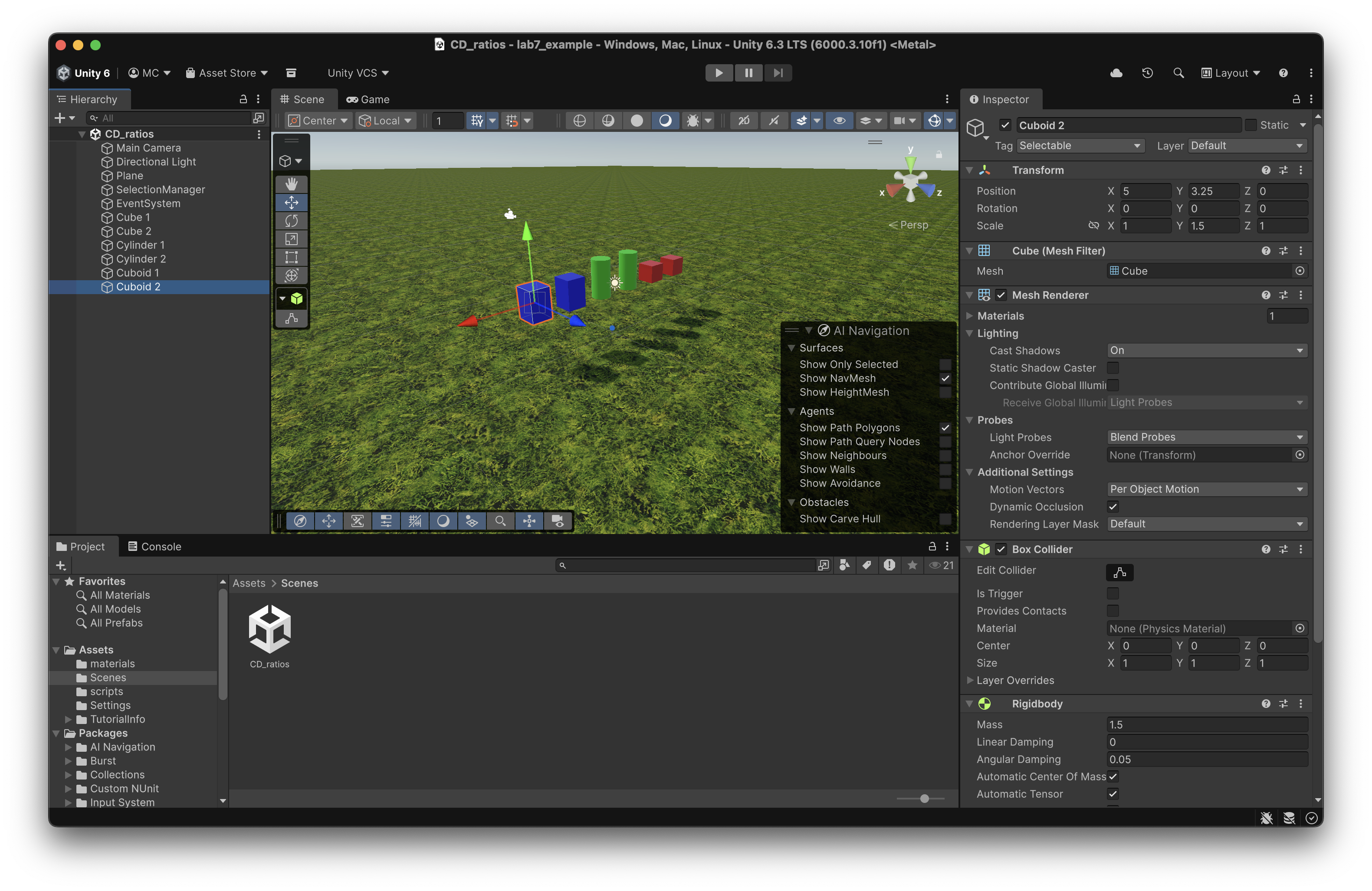
Once everything has imported, go to the Project browser in the bottom left corner of the window, and select Scenes. Double-click on the CD_ratios scene to open it.
This scene is similar to the one from lab 6, but has a couple of new features:
- More objects: There are now two copies of each type of object. This is to allow you to compare lifting visually identical objects, but possibly with different physical and acoustic characteristics.
- Clutching: One problem with the mouse interface is that we often run out of space – the cursor reaches the edge of the screen and we aren’t able to lift our object any further. To get around this, a clutch mechanism is now introduced. If you hold down the space bar then your mouse movements will have no effect on the selected object, allowing you to reposition the mouse cursor so that you can lift the object further. (Note that releasing the mouse button will still drop the object even with the space bar down.)
Task 1: Exploration
As in week 6, your first task is just to play around with the parameters to get a feel for the effects and how (if at all) they interact.
Run the scene. Use the inspector to make changes to the object masses and perhaps other properties, such as the size (have a look at the Scale attributes in the Transform section at the top). Lift the objects with your mouse.
Repeat this with and without cognitive load, using a backwards counting task or any other activity you can think of that will keep your brain busy and distracted. Does this make a difference to your perception of object weight?
Task 2: Experiments
For this task you should work in pairs or small groups.
Similarly to week 6, you should try to devise one or more experiments to quantify some aspect(s) of the interactions between C/D ratio and cognitive load.
As before you should consider:
- What is your experimental paradigm?
- What are the stimuli?
- What is the response and how are you measuring it?
- What question are you asking your experimental subjects?
- Can you identify any sources of bias or confounding? Is there some way to mitigate them?
- Are there any ethical issues you need to take into account?
- How will you analyse the collected data, and what will it tell you?
- How might you present your results?
- Will you be able to tell if your findings are real?
You may choose to collaborate with your teammates on a single design or devise individual experiments. Either way you should then perform the experiments on each other in turn, so that everyone acts as both experimenter and subject.
Collect and analyse your data.
- What does it tell you?
- Is it what you expected?
- Are there any changes you would make to your experimental design in retrospect?
Headset-based tasks
The Pico 4 VR headsets provide an immersive stereoscopic 3D environment with spatial audio. This has practical implications in a constrained environment like a classroom. The person using the headset may be quite isolated from their immediate physical surroundings and deprived of many of the usual perceptual cues that allow them to navigate those surroundings safely.
It is therefore important that you again work in pairs or groups. When one of you is using the headset, the other(s) should ensure that person remains safe and doesn’t accidentally smack into any people or objects in the vicinity. (You will be seated for these tests, but it is surprisingly easy to bump into things, knock your laptop to the floor, etc.)
Setting Up
When you first put on the headset, you will be shown pass-through video of your surroundings and invited to set up a play boundary.
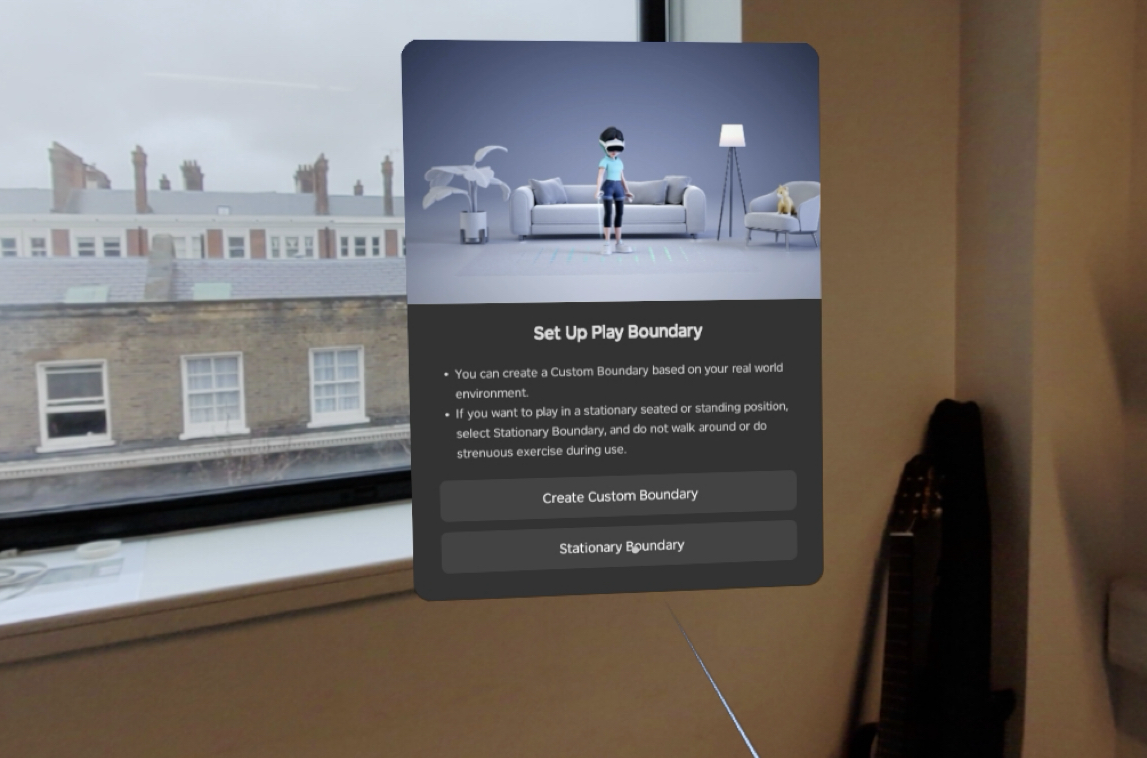
Choose a stationary boundary and then set it to be sitting and small. You might need to manually adjust the floor level – the default configuration will probably put the floor at desk level, which may mean objects in the experiments below are out of reach. (You can always reconfigure this later if needed.)
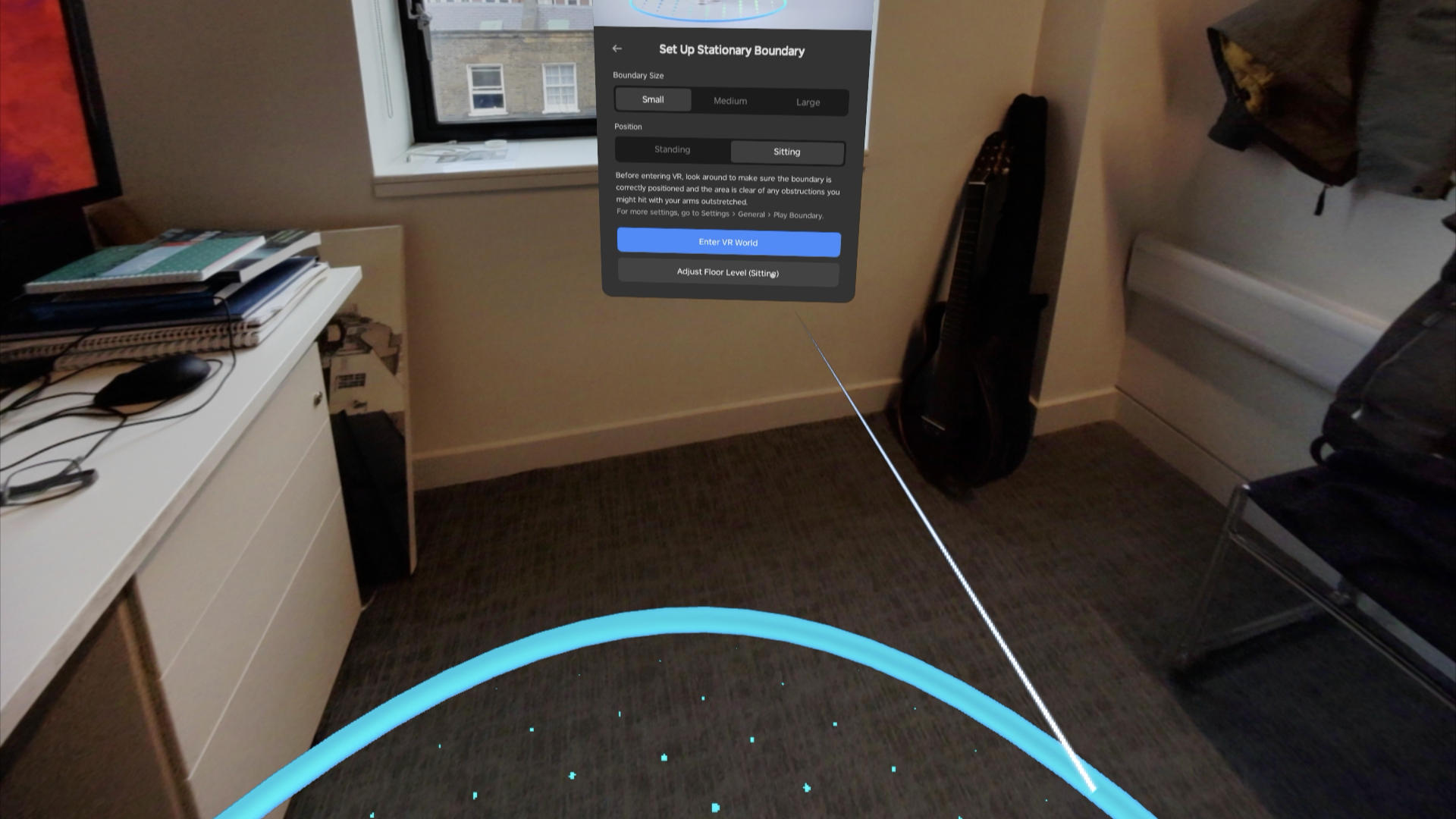
Once you are satisfied, select Enter VR World.
There are two different (though similar) VR applications for this week’s session. To run them, choose Library from the main toolbar, and then Unknown from the sidebar in the library window.
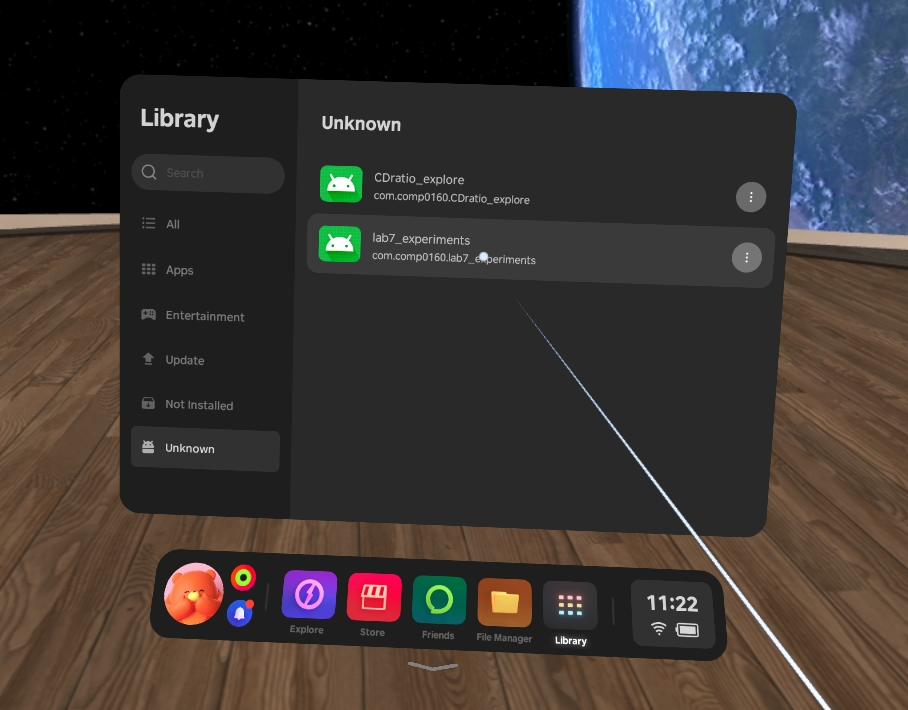
A warning will be shown when you try to run either of these applications. Just select Open and run them anyway.
Task 3: Exploration
There is one exploratory VR app, CDratio_explore, which looks like this:
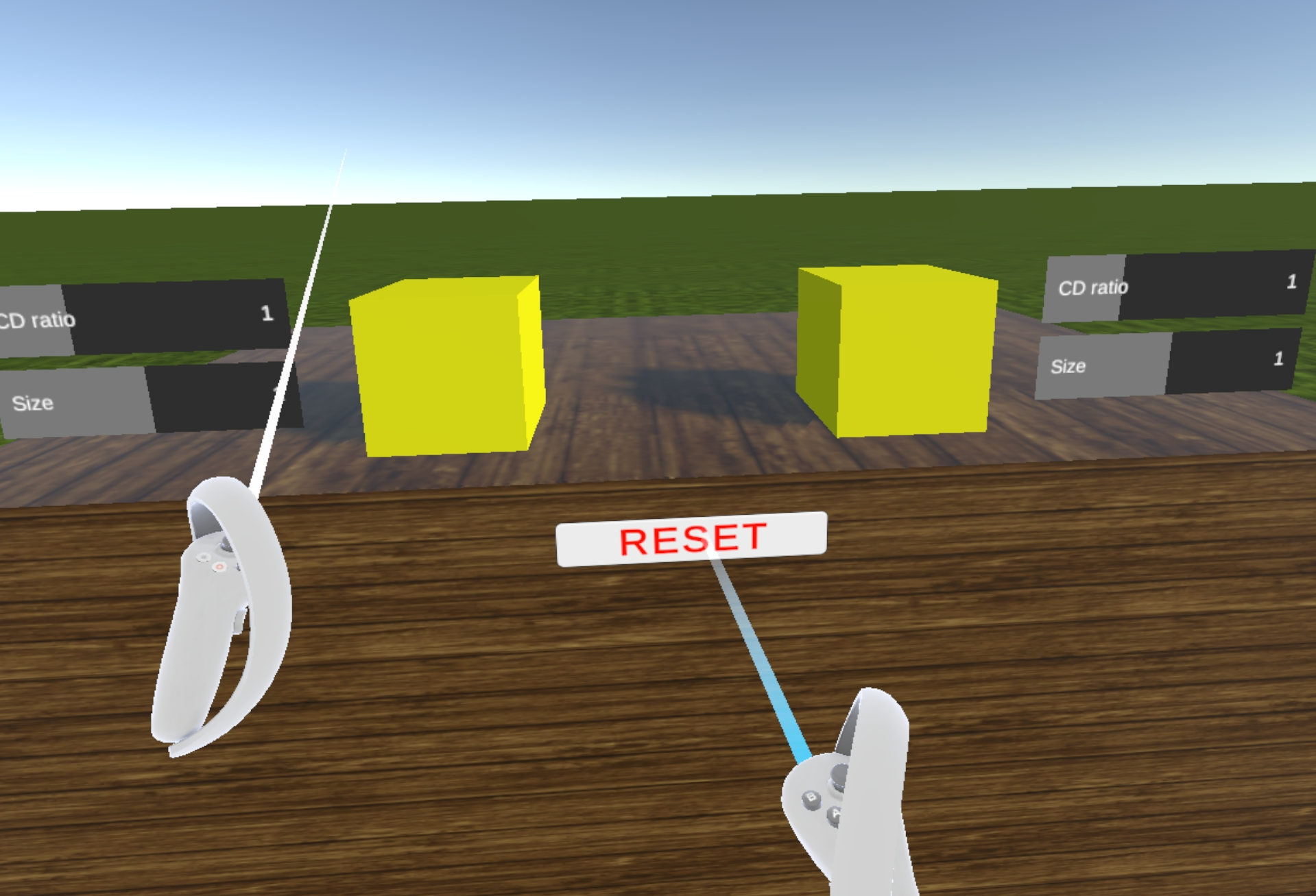
The yellow blocks can be grasped by pushing the controller into them and pressing the side trigger. You can lift and lower them by moving the controller while grasping. The resulting visual movement depends on the C/D ratio, producing a pseudo-haptic effect.
Adjust the parameters for each block using the sliders. Try out a range of values and see how they feel. You can use both controllers to lift the blocks simultaneously to compare different settings side by side.
(Note: the reset button on the front of the table will put everything back to its initial state. This may be useful if, eg, you drop the blocks outside the play area.)
Once again, consider the effect of the different parameters.
- Do you perceive the pseudo-haptic effect at all?
- Are there values for which the illusion breaks down?
- Is there an interaction between C/D ratio and size?
Task 4: Experiments
Unlike in the screen based environment, on the VR headsets it is not really practical for one person to adjust the settings and test them on another. Instead, we provide an application, lab7_experiments, that automates a series of trials with randomised values and gathers the responses.
The collected data is saved to a file on the headset, which we will download after the lab and post to Moodle. Each experiment is identified by a 4-letter code, which you should make a note of in order to retrieve your data later. Please also note the number of the headset you are using — the 4-letter namespace is reasonably large (~450,000) but random collisions are possible between devices.
The app asks you to evaluate subjective “lightness” or “heaviness” for a single block in isolation. There are two versions of the experiment, simple and complex, which you will be asked to choose between at the start. Each experiment has 48 trials. Do them both.
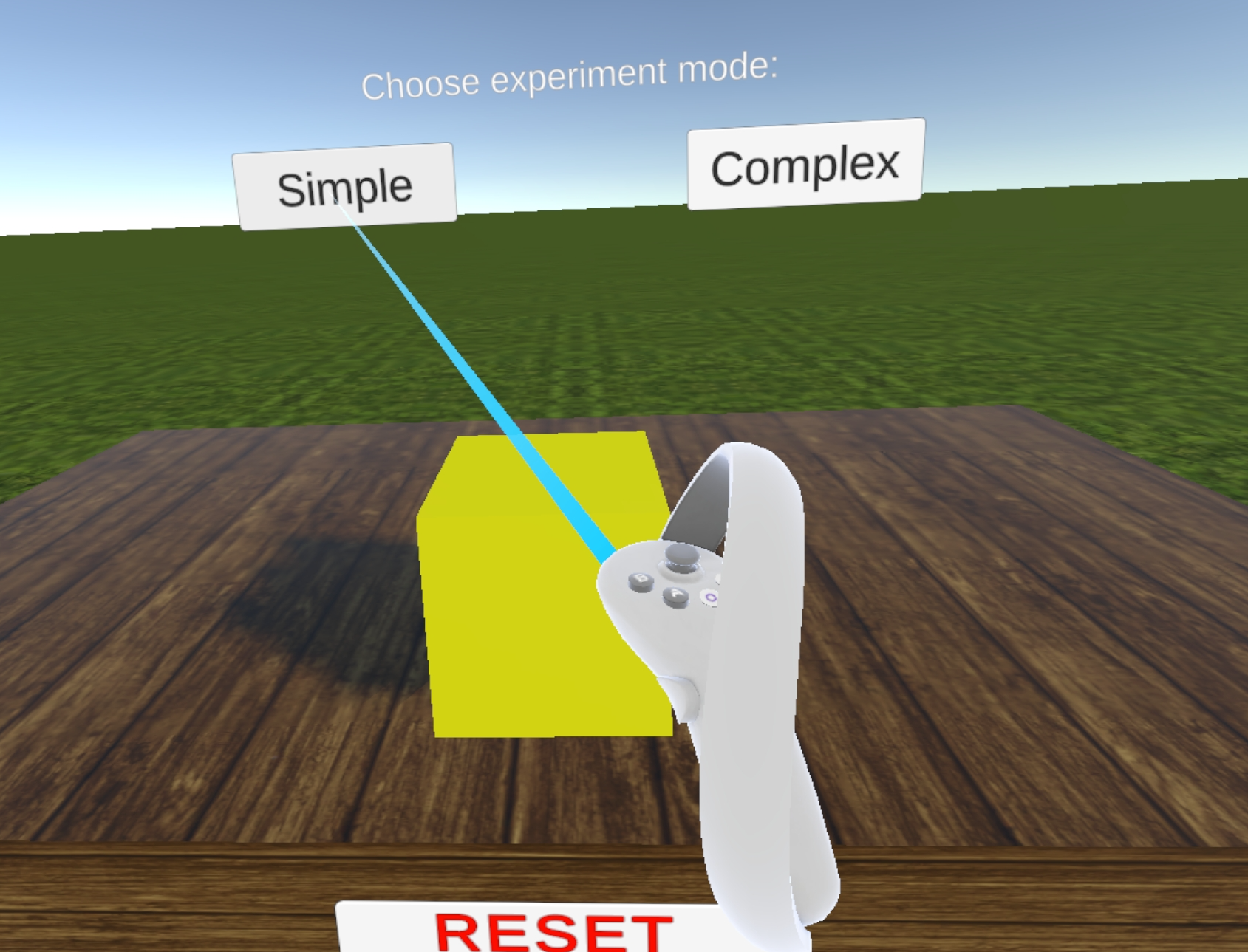
The simple version looks like this:
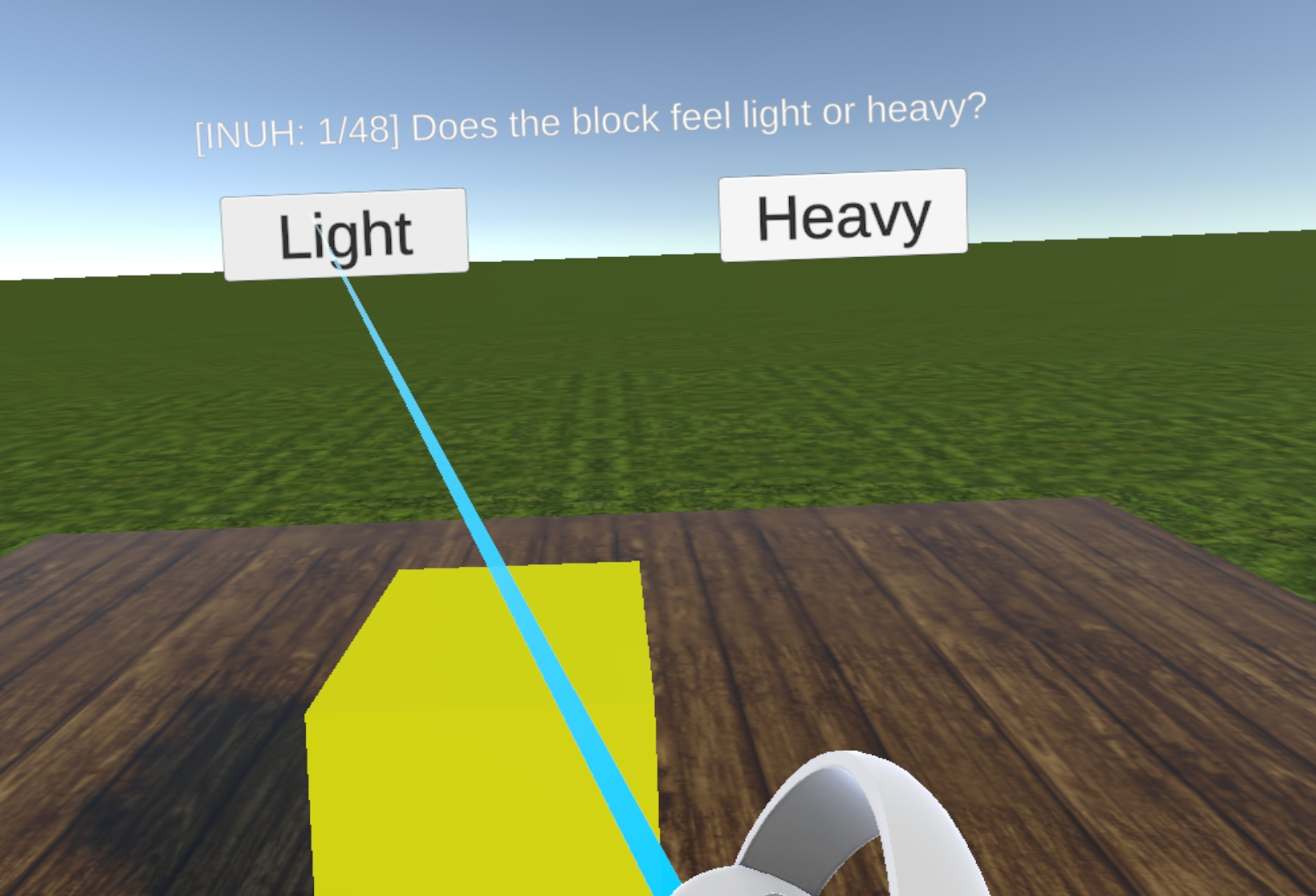
(Note the 4-letter prefix identifying the experiment.)
The complex version adds cognitive load with visual and auditory distractions and a simple game element.
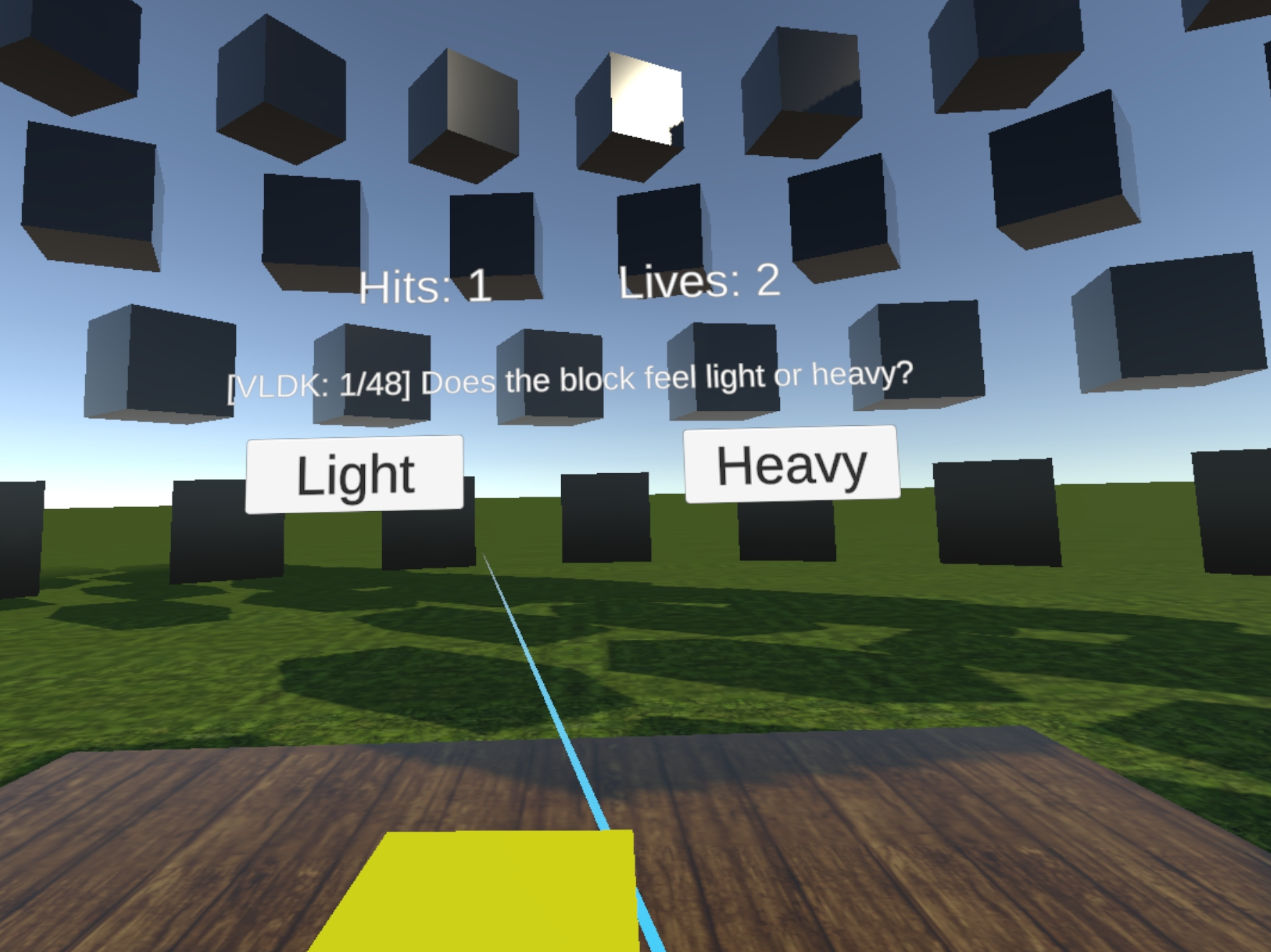
Shoot the red blocks before they reach you, while also answering the experimental questions. Note that blocks may approach from behind you. If a block reaches you, you will lose a life. If you lose all lives before completing the experiment, all the data is lost and you’ll need to start from scratch!
Subjectively, do you notice any difference in the feeling of the blocks between the simple and complex modes? When you retrieve your data, is there any identifiable difference in the results?